

Deploy App
Dengan Apps Service, kamu tidak perlu punya server, setup SSH, atau install OS. Pilih aplikasinya, dan SemutSSH yang menjalankan servernya.
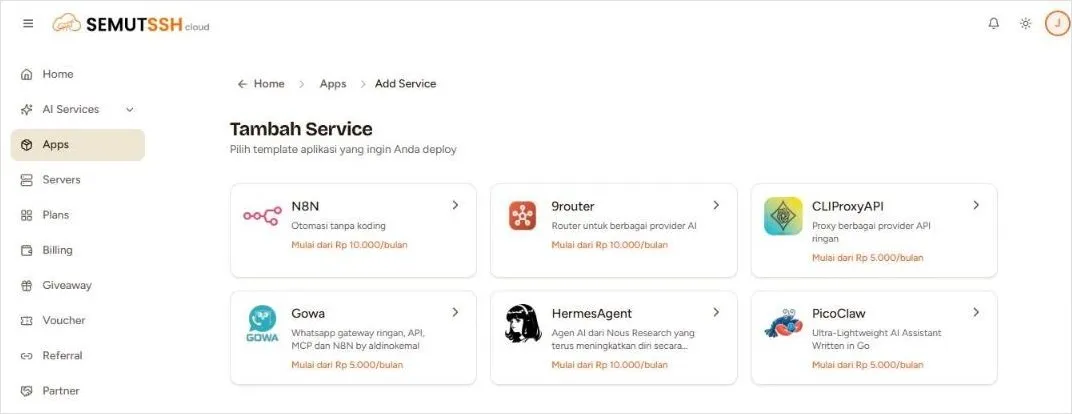
Aplikasi yang tersedia
Section titled “Aplikasi yang tersedia”| Aplikasi | Fungsi | Mulai dari |
|---|---|---|
| N8N | Otomasi workflow tanpa koding | Rp10.000/bulan |
| 9router | Router untuk berbagai provider AI | Rp10.000/bulan |
| CLIProxyAPI | Proxy ringan untuk berbagai provider API | Rp5.000/bulan |
| Gowa | WhatsApp gateway ringan, API, MCP, dan integrasi n8n | Rp5.000/bulan |
| HermesAgent | Agen AI dari Nous Research yang terus belajar dari pengalaman | Rp10.000/bulan |
| PicoClaw | Asisten AI super ringan, ditulis dengan Go | Rp5.000/bulan |
Tier spesifikasi
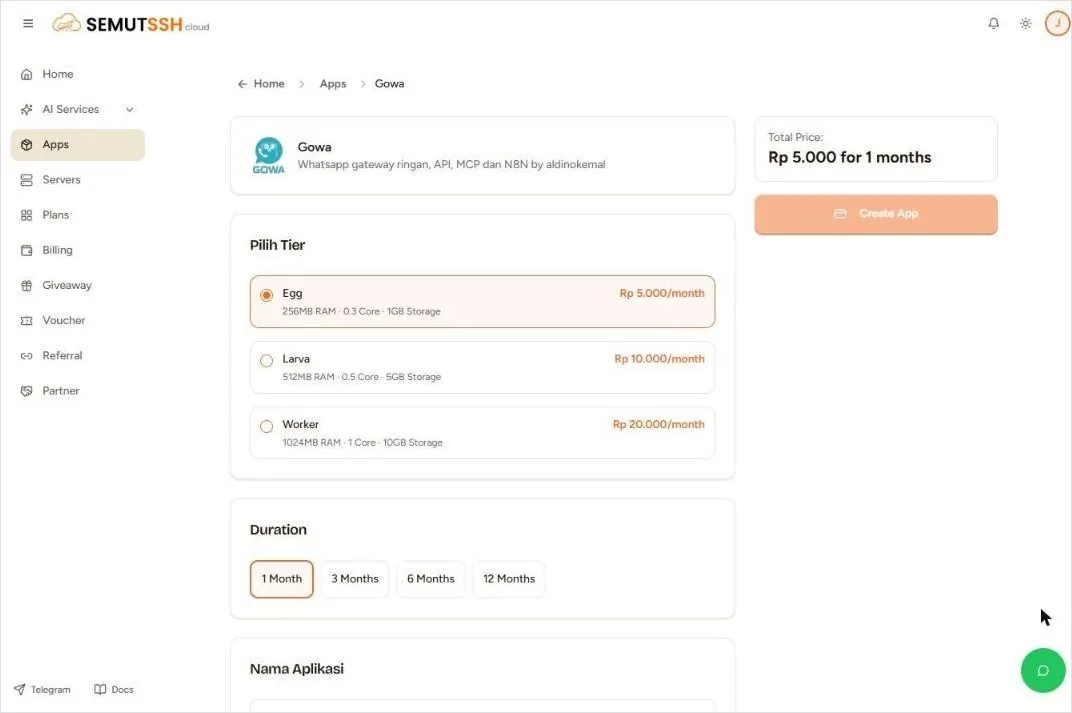
Section titled “Tier spesifikasi”| Tier | RAM | CPU | Storage | Harga |
|---|---|---|---|---|
| Egg | 256 MB | 0,3 core | 1 GB | Rp5.000/bulan |
| Larva | 512 MB | 0,5 core | 5 GB | Rp10.000/bulan |
| Worker | 1 GB | 1 core | 10 GB | Rp20.000/bulan |
Tidak semua tier tersedia untuk setiap aplikasi. Misalnya N8N hanya tersedia di Larva dan Worker. Tier yang tersedia ditampilkan di halaman deploy.
Cara deploy
Section titled “Cara deploy”- Pastikan saldo cukup. Kalau belum, top up dulu.
- Buka Apps, lalu klik Add Service.
- Pilih aplikasi dari katalog.
- Pilih tier (Egg, Larva, atau Worker).
- Pilih durasi: 1, 3, 6, atau 12 bulan.
- Isi Nama Aplikasi. Nama ini dipakai untuk domain aplikasimu.
- Punya voucher? Isi di kolom Voucher, lalu klik Validasi.
- Cek Total Price, lalu klik Create App.
- Tunggu proses deploy selesai. Aplikasi akan muncul di Your Apps.
- Egg cukup untuk eksperimen, Worker untuk pemakaian production.
- Beberapa aplikasi butuh konfigurasi tambahan setelah deploy (misalnya API key untuk Gowa atau HermesAgent).
- Dapatkan voucher app gratis dengan top up AI PAYG minimal Rp100.000. Lihat Voucher.